
In this post I describe how to expand the hard drive of a qcow2 virtual machine (VM) on KVM. In the example I will expand the 10GB hard drive of my cortafuegix VM to 15GB.
Strategy
Before starting I’ll check or confirm the current size of the VM. I connect to it and run the df -h command, which in my case reports a capacity of 10GB.
- Check the current size of the VM (cortafuegix)
luis @ idefix ➜  ~  ssh -Y -a luis@cortafuegix.tudominio.com
luis@cortafuegix ~ $ sudo fdisk --list
Disco /dev/vda: 10 GiB, 10737418240 bytes, 20971520 sectores
Unidades: sectores de 1 * 512 = 512 bytes
Tamaño de sector (lógico/físico): 512 bytes / 512 bytes
Tamaño de E/S (mínimo/óptimo): 512 bytes / 512 bytes
Tipo de etiqueta de disco: gpt
Identificador del disco: DFA5DB69-5DA5-4AAB-8C4F-0266592CFB48
Actions on the Host
The cortafuegix VM is hosted on the HOST marte, a Linux machine with QEMU/KVM, so I connect to it and continue from there:
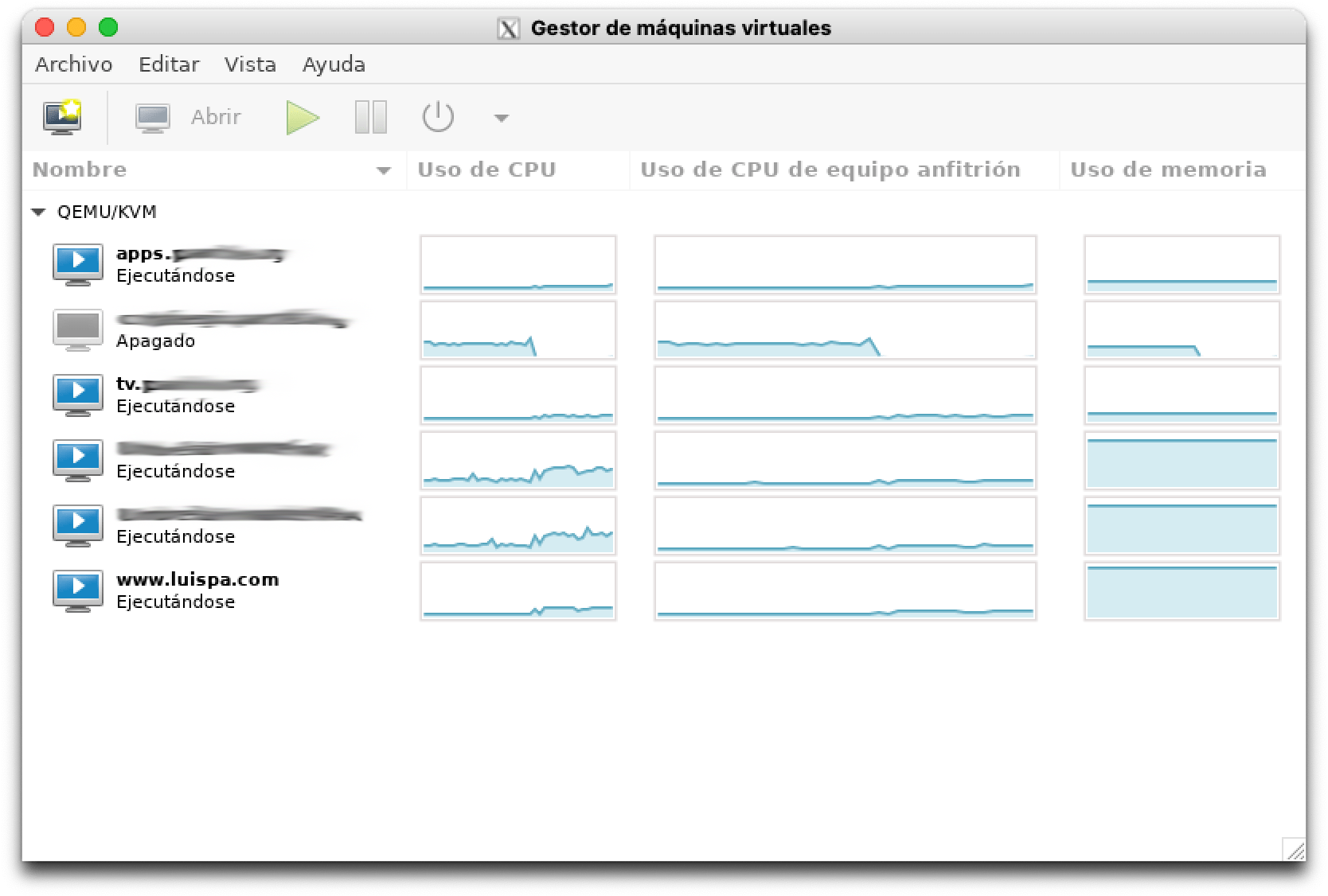
- Stop the VM (cortafuegix)
luis@marte:~$ sudo virsh list
 Id   Name                      State
-----------------------------------------
 1    apps.tudominio.com          running
 2    tv.tudominio.com            running
 3    www.luispa.com            running
 4    UmbrellaForwarderVAHA     running
 5    UmbrellaForwarderVA       running
 6    cortafuegix.tudominio.com   running

luis@marte ~$ sudo virsh shutdown cortafuegix.tudominio.com
Domain cortafuegix.tudominio.com is being shutdown
- I change the file owner to my user for easier work.
luis@tierra:~$ ls -al cortafuegix.tudominio.com.*
-rw-r--r-- 1 libvirt-qemu kvm  21448556544 may 27 09:22 cortafuegix.tudominio.com.qcow2
-rw-r--r-- 1 luis         luis        4975 abr  9  2017 cortafuegix.tudominio.com.xml

luis@marte ~$ sudo chown luis:luis /home/luis/cortafuegix.tudominio.com.qcow2
- Convert
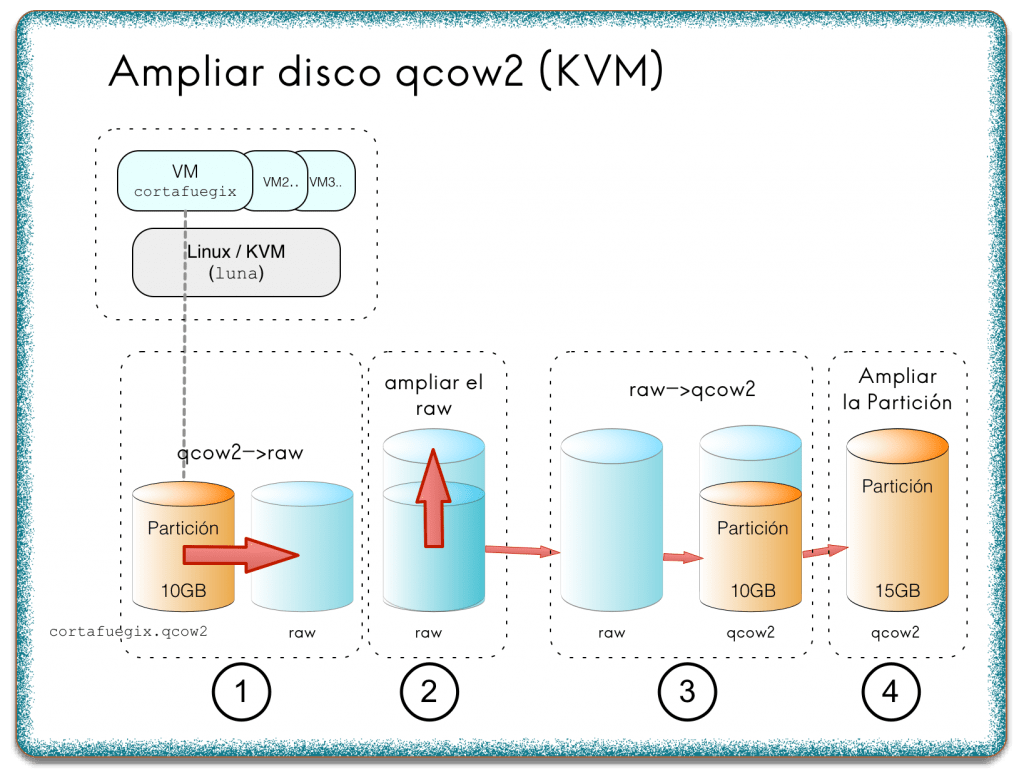
QCOW2toRAW(takes ~1min 15sec) - Step 1 in the diagram.
luis@marte:~$ qemu-img convert cortafuegix.tudominio.com.qcow2 -O raw cortafuegix.tudominio.com.raw
- Create a 5GB RAW file (takes ~20sec)
luis@marte ~$ dd if=/dev/zero of=extra5GBzeros.raw bs=1024k count=5120
- Combine both RAW files to create a final 15GB RAW. Step 2 in the diagram.
luis@marte ~$ cat cortafuegix.tudominio.com.raw extra5GBzeros.raw > cortafuegix.tudominio.com.15GB.raw
- Backup the original QCOW2
luis@marte ~ $ mv cortafuegix.tudominio.com.qcow2 cortafuegix.tudominio.com.BACKUP.qcow2
- Convert the 15GB RAW to QCOW2 format (takes ~1min 34sec). Step 3 in the diagram.
luis@marte ~$ qemu-img convert cortafuegix.tudominio.com.15GB.raw -O qcow2 cortafuegix.tudominio.com.qcow2
- Change owner back to qemu.
luis@marte ~$ sudo chown libvirt-qemu:kvm /home/luis/cortafuegix.tudominio.com.qcow2
Start the VM again.
luis@marte ~$ sudo virsh start cortafuegix.tudominio.com
Domain cortafuegix.tudominio.com started
Actions on the virtual machine
Now that the VM is running, I’ll connect to it (cortafuegix) and use gparted to expand the partition (Step 4 in the diagram). The virtual machine will boot without problems with a 10GB partition inside a 15GB disk, so we can use this tool to expand it.
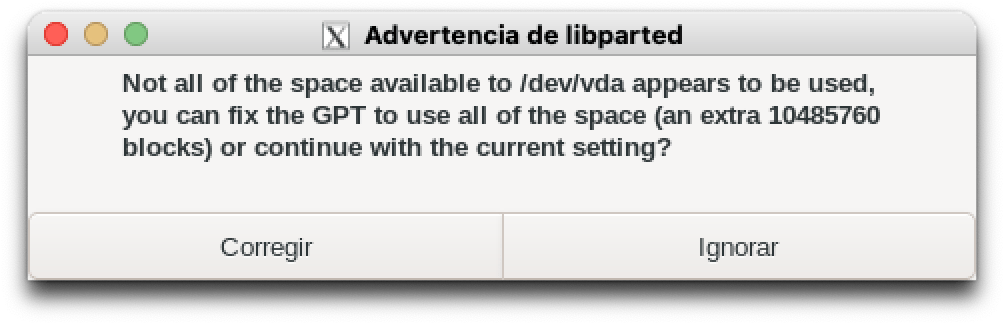
- If the following message appears, click on
Fix
luis @ idefix ➜  ~  ssh -Y -a luis@cortafuegix.tudominio.com
+------------------+
| Bienvenido Luis! |
+------------------+
luis@cortafuegix ~ $ sudo gparted
Select the existing area, right-click, Resize and extend the partition size to the right to take all available free space.
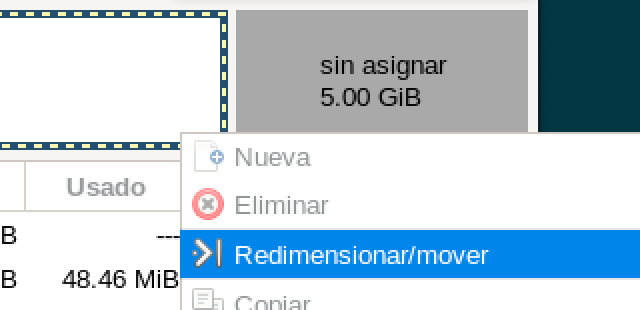
Apply the changes, exit gparted and reboot cortafuegix. When you reconnect you can verify the new size.
cortafuegix ~ # fdisk --list
Disco /dev/vda: 15 GiB, 5368709120 bytes, 10485760 sectores