
I need to be able to open a program by pressing a HotKey, regardless of which application has focus. Applications typically don’t come with this option but there are cases where it could be useful.
I’m going to use the PathFinder application as an example. My goal is to have this application open as soon as I press a specific key combination. To configure a HotKey for launching an application, we simply need to use Automator and the system’s Keyboard Preferences. Launch the Automator program.

Automator program
- Create a new Service,
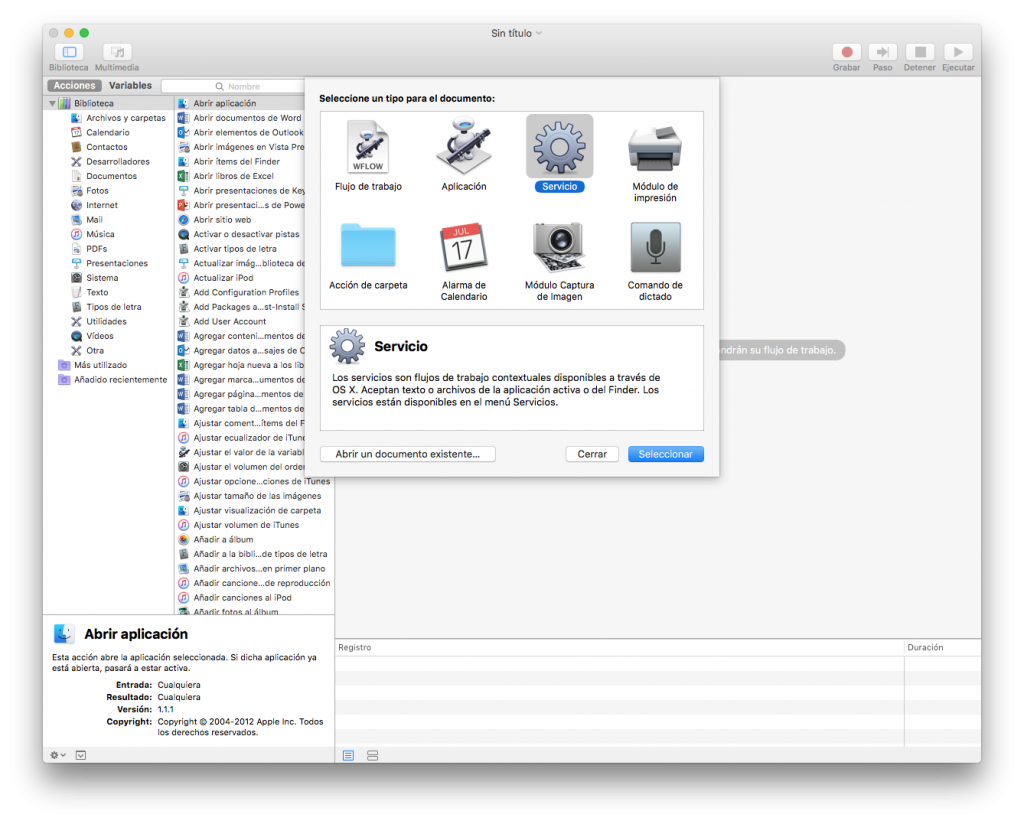
Create a new service
We associate a keypress with an App.
- Automator: New Document
- Select the conditions: no data input, in any application
- Drag Open Application and select the application to open
- Save the Service as “Launch Path Finder”
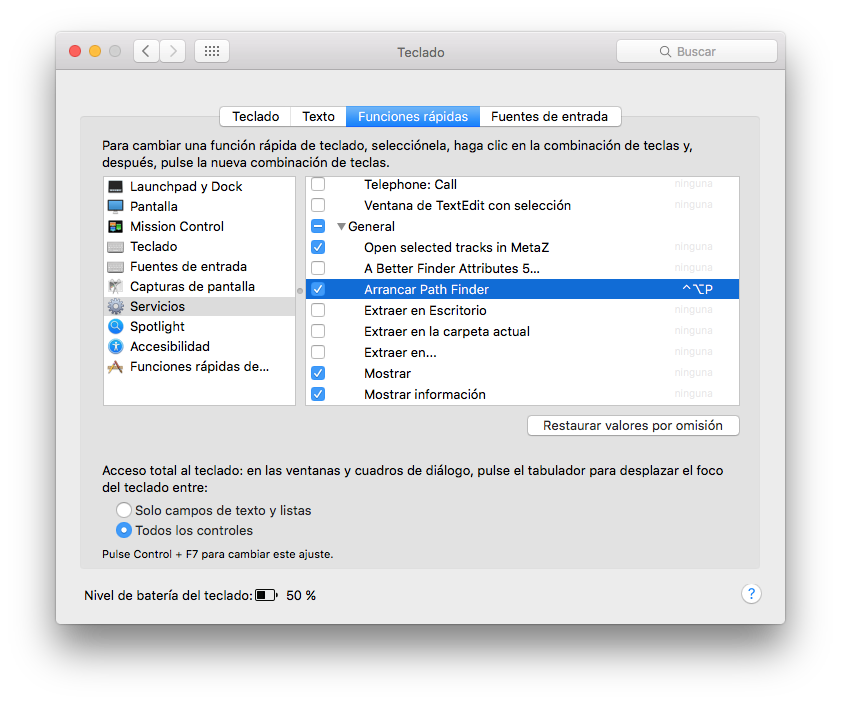
Associate the key