
In this post I explain how I launch a network traffic capture (tcpdump) on a remote Linux machine (Pi2 with Gentoo) and have it forwarded to Wireshark running on my computer (Mac). We’ll get tcpdump’s output to become Wireshark’s input. It seems like magic but you’ll see it’s extremely simple. You’ll need to know ssh and sudo, a couple of prerequisites for making this so easy.
- Option with mkfifo
I’ll start with a slightly more complicated option (the next one is simpler), but it will help us better understand the idea…
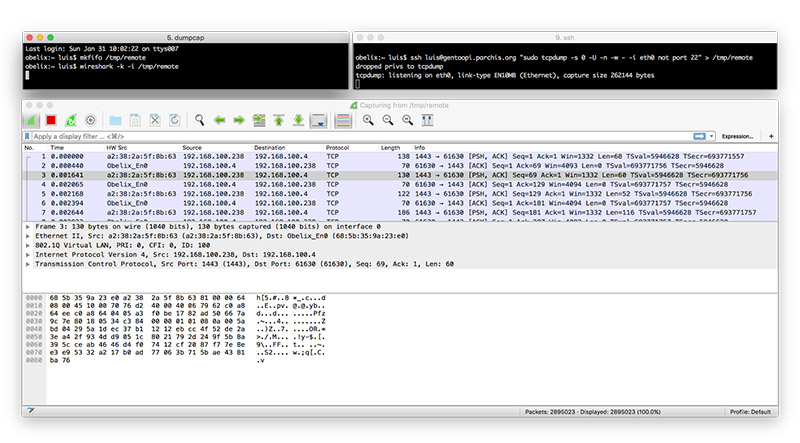
We run two sessions in a terminal (Terminal.app, iTerm2, etc.). In my case I run them on my iMac. In one session I run WireShark on my computer. In the other I request remote execution of tcpdump via SSH on a Linux machine. I connect both processes through an intermediate FIFO file.
Session 1:
mkfifo /tmp/remote
wireshark -k -i /tmp/remote
Session 2:
ssh luis@gentoopi.tudominio.com "sudo tcpdump -s 0 -U -n -w - -i eth0 not port 22" > /tmp/remote
- Direct option without mkfifo (Preferred)
The above can be reduced to a single line in a single Terminal session:
Single session, in this case I run Wireshark on my MacOS:
ssh luis@gentoopi.tudominio.com "sudo tcpdump -s 0 -U -n -w - -i eth0 not port 22" | /Applications/Wireshark.app/Contents/MacOS/Wireshark -k -i -