
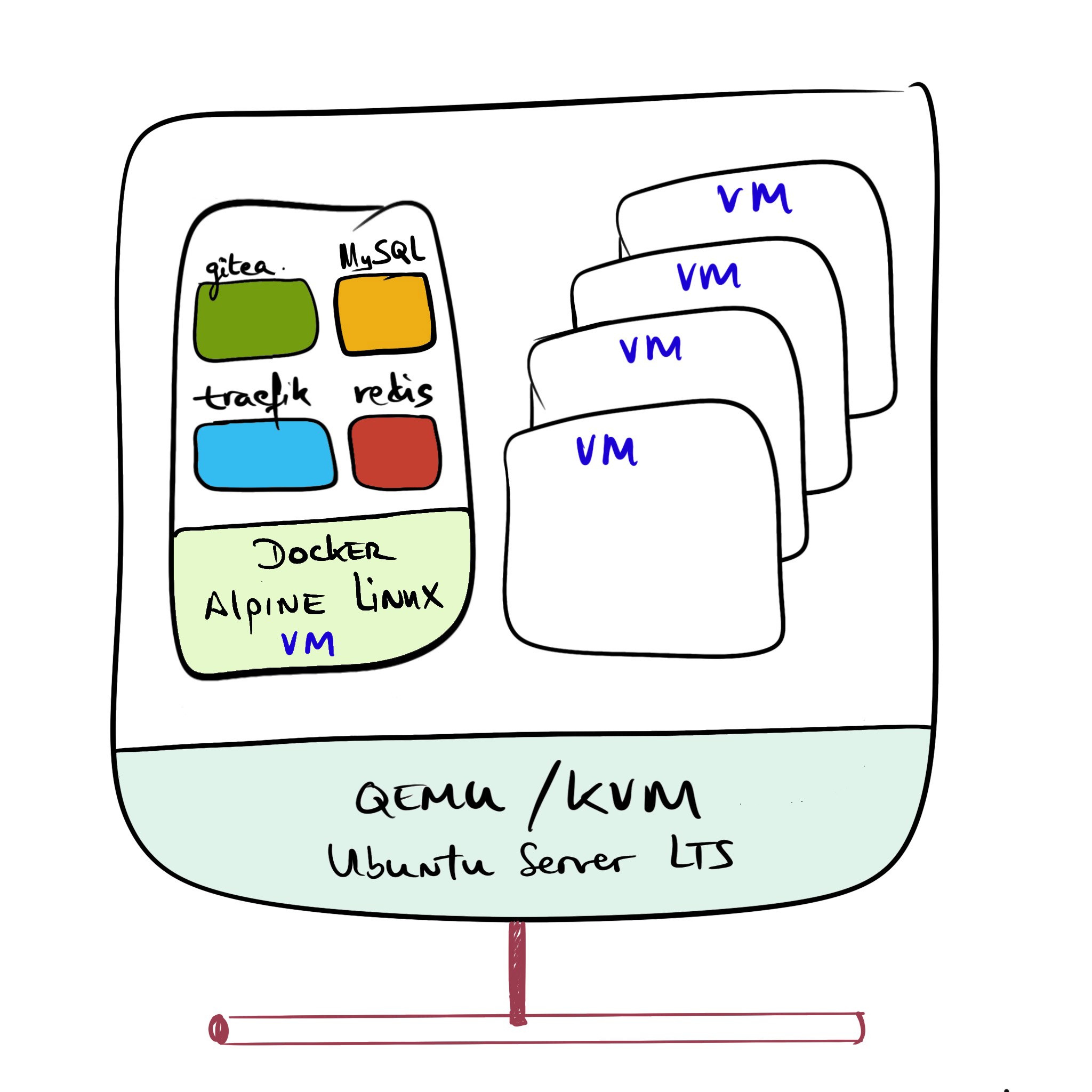
In this post I describe the installation of Gitea (GIT server) and Traefik (LetsEncrypt SSL certificate termination), along with Redis (cache) and MySQL (DB). I install all applications as Docker containers on an Alpine Linux running as a virtual machine on my KVM server. In the previous post I explained what Gitea is and how to set it up directly on a virtual machine (without Docker).
This time I’ve added Traefik and Redis to the picture. Everything runs as Docker containers on a lightweight Linux (Alpine Linux), which in turn runs as a virtual machine on my QEMU/KVM Hypervisor. This post reflects my production setup on my home network. Credit goes to the author of this excellent guide, setup a self-hosted git service with gitea.
Networking
Before diving in, here’s my home setup’s networking configuration:
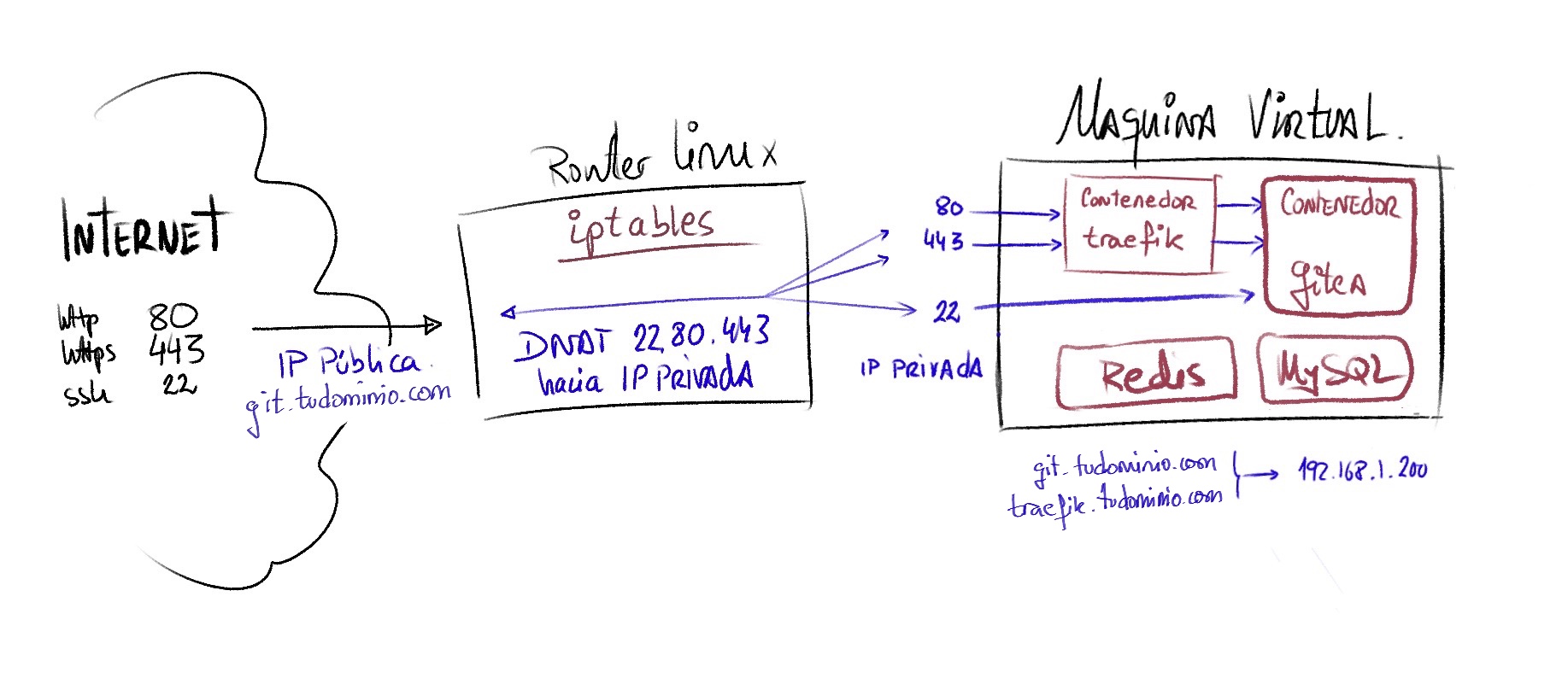
This type of setup allows connecting to the server from my private network (LAN) but also from the Internet (mandatory for receiving the SSL certificate from Letsencrypt). Although I almost always use it locally, here’s how I open the internet ports on demand, to renew the certificate or use the service from the internet occasionally:
export GITIP=192.168.1.200
iptables -t nat -I PREROUTING -i ppp0 -p tcp -m multiport --dports 22,80,443 -j DNAT --to-destination ${GITIP}
iptables -I FORWARD -p tcp -m multiport --dports 22,80,443 -d ${GITIP} -j ACCEPT
At my DNS provider I have git.yourdomain.com pointing to my (dynamic) public IP address, and in the local DNS Server on my home network it’s configured as:
traefik.yourdomain.com --> 192.168.1.200git.yourdomain.com --> 192.168.1.200
I configured the Alpine Linux openssh service to listen on a different port (22222), freeing port 22 for git over SSH in the gitea container, and web access to Gitea will be via HTTPS on port 443.
Alpine Linux Virtual Machine
The first step is creating a VM based on Alpine Linux with everything needed to run Docker. I follow the documentation and example described in the post Alpine for Running Containers. I name the machine git.yourdomain.com.
- Once I finish the Alpine Linux installation, I modify its
/etc/hosts
127.0.0.1 git.yourdomain.com git traefik traefik.yourdomain.com localhost.localdomain localhost
::1  localhost localhost.localdomain
- I enter the VM with my user and create the
giteadirectory where I’ll place all the working files for the containers.
git:~$ id
uid=1000(luis) gid=1000(luis) groups=10(wheel),101(docker),1000(luis),1000(luis)
git:~$ pwd
/home/luis
git:~$ mkdir gitea
Traefik Container
First I’ll create just the Traefik part, to make sure it works correctly.
- I create the file where the
letsencryptcertificate will be stored.
git:~/gitea$ mkdir data_traefik
git:~/gitea$ touch data_traefik/acme.json
git:~/gitea$ chmod 600 data_traefik/acme.json
- I create
compose.yml— for now I only include the first servicegitea-traefik. ReplaceHOSTandYOUREMAIL@YOURDOMAIN.comwith the appropriate values.
version: '3.9'
services:
  gitea-traefik:
    image: traefik:2.7
    container_name: gitea-traefik
    restart: unless-stopped
    volumes:
      - ./data_traefik/acme.json:/acme.json
      - /var/run/docker.sock:/var/run/docker.sock
    networks:
      - public
    labels:
      - 'traefik.enable=true'
      - 'traefik.http.routers.api.rule=Host(`git.yourdomain.com`)'
      - 'traefik.http.routers.api.entrypoints=https'
      - 'traefik.http.routers.api.service=api@internal'
      - 'traefik.http.routers.api.tls=true'
      - 'traefik.http.routers.api.tls.certresolver=letsencrypt'
    ports:
      - 80:80
      - 443:443
    command:
      - '--api'
      - '--providers.docker=true'
      - '--providers.docker.exposedByDefault=false'
      - '--entrypoints.http=true'
      - '--entrypoints.http.address=:80'
      - '--entrypoints.http.http.redirections.entrypoint.to=https'
      - '--entrypoints.http.http.redirections.entrypoint.scheme=https'
      - '--entrypoints.https=true'
      - '--entrypoints.https.address=:443'
      - '--certificatesResolvers.letsencrypt.acme.email=YOUREMAIL@YOURDOMAIN.com'
      - '--certificatesResolvers.letsencrypt.acme.storage=acme.json'
      - '--certificatesResolvers.letsencrypt.acme.httpChallenge.entryPoint=http'
      - '--log=true'
      - '--log.level=INFO'
    logging:
      driver: "json-file"
      options:
        max-size: "1m"
networks:
  public:
    name: public
- I start the service
git:~/gitea$ docker compose up -d
WARNING: Network public not found.
Creating network "public" with the default driver
Creating gitea-traefik ... done

git:~/gitea$ docker compose logs -f --since 1h gitea-traefik
time="2022-03-27T08:33:57Z" level=info msg="Configuration loaded from flags."
time="2022-03-27T08:33:57Z" level=info msg="Starting provider aggregator aggregator.ProviderAggregator"
time="2022-03-27T08:33:57Z" level=info msg="Starting provider *traefik.Provider"
time="2022-03-27T08:33:57Z" level=info msg="Starting provider *docker.Provider"
time="2022-03-27T08:33:57Z" level=info msg="Starting provider *acme.ChallengeTLSALPN"
time="2022-03-27T08:33:57Z" level=info msg="Starting provider *acme.Provider"
time="2022-03-27T08:33:57Z" level=info msg="Testing certificate renew..." providerName=letsencrypt.acme ACME CA="https://acme-v02.api.letsencrypt.org/directory"
- Once everything works I can continue with the rest of the services.
Gitea, Redis, and MySQL Containers
- I prepare the directories for the data.
git:~/gitea$ mkdir -p data/gitea      # Directory for Gitea data
git:~/gitea$ mkdir -p mysql           # Directory for MySQL data
- I add the three services to
compose.yml. I adapt it to my needs:- DOMAIN and SSH_DOMAIN (URLs for git clone)
- ROOT_URL (Configured to use HTTPS, including my domain)
- SSH_LISTEN_PORT (the SSH listen port inside the container)
- SSH_PORT (Port exposed externally, used for clone)
- DB_TYPE (Database type)
- traefik.http.routers.gitea.rule=Host() (header to reach gitea via web)
- ./data/gitea (Path for data persistence. In my case I keep data inside the virtual machine)
- Here’s the final file:
#
# compose.yaml for gitea, traefik, redis, and mysql
#
version: '3.9'
#
# Services
#
services:

  #
  gitea-traefik:
    image: traefik:2.8.7
    container_name: gitea-traefik
    restart: unless-stopped
    depends_on:
      gitea:
        condition: service_healthy
#         condition: service_started
    volumes:
      - ./data_traefik/acme.json:/acme.json
      - /var/run/docker.sock:/var/run/docker.sock
    networks:
      - public
    labels:
      - 'traefik.enable=true'
      - 'traefik.http.routers.api.rule=Host(`git.yourdomain.com`)'
      - 'traefik.http.routers.api.entrypoints=https'
      - 'traefik.http.routers.api.service=api@internal'
      - 'traefik.http.routers.api.tls=true'
      - 'traefik.http.routers.api.tls.certresolver=letsencrypt'
    ports:
      - 80:80
      - 443:443
    command:
      - '--api'
      - '--providers.docker=true'
      - '--providers.docker.exposedByDefault=false'
      - '--entrypoints.http=true'
      - '--entrypoints.http.address=:80'
      - '--entrypoints.http.http.redirections.entrypoint.to=https'
      - '--entrypoints.http.http.redirections.entrypoint.scheme=https'
      - '--entrypoints.https=true'
      - '--entrypoints.https.address=:443'
      - '--certificatesResolvers.letsencrypt.acme.email=YOUREMAIL@YOURDOMAIN.com'
      - '--certificatesResolvers.letsencrypt.acme.storage=acme.json'
      - '--certificatesResolvers.letsencrypt.acme.httpChallenge.entryPoint=http'
      - '--log=true'
      - '--log.level=INFO'
    logging:
      driver: "json-file"
      options:
        max-size: "1m"

  #  Gitea
  gitea:
    container_name: gitea
    image: gitea/gitea:1.17.3
    restart: unless-stopped
    #  Note: Pending study:
    #  https://docs.docker.com/compose/startup-order/
    depends_on:
      gitea-cache:
        condition: service_healthy
      db:
        condition: service_healthy
    environment:
      - APP_NAME="Gitea"
      - USER_UID=1000
      - USER_GID=1000
      - USER=git
      - RUN_MODE=prod
      - DOMAIN=git.yourdomain.com
      - SSH_DOMAIN=git.yourdomain.com
      - HTTP_PORT=3000
      - ROOT_URL=https://git.yourdomain.com
      - SSH_PORT=22
      - SSH_LISTEN_PORT=22
      - DB_TYPE=mysql
      - GITEA__database__DB_TYPE=mysql
      - GITEA__database__HOST=db:3306
      - GITEA__database__NAME=gitea
      - GITEA__database__USER=gitea
      - GITEA__database__PASSWD=gitea
      - GITEA__cache__ENABLED=true
      - GITEA__cache__ADAPTER=redis
      - GITEA__cache__HOST=redis://gitea-cache:6379/0?pool_size=100&idle_timeout=180s
      - GITEA__cache__ITEM_TTL=24h
      - GITEA__mailer__ENABLED=true
      - GITEA__mailer__FROM="YOUREMAIL@YOURDOMAIN.com"
      - GITEA__mailer__MAILER_TYPE=smtp
      - GITEA__mailer__HOST="smtp.gmail.com:465"
      - GITEA__mailer__IS_TLS_ENABLED=true
      - GITEA__mailer__USER="YOUREMAIL@YOURDOMAIN.com"
      - GITEA__mailer__PASSWD="YOURPASSWORD"
      - GITEA__mailer__HELO_HOSTNAME="git.yourdomain.com"
    ports:
      - "22:22"
    networks:
      - public
    healthcheck:
      test: ["CMD-SHELL", "wget -q --no-verbose --tries=1 --spider localhost:3000/explore/repos || exit 1"]
      interval: 5s
      start_period: 2s
      timeout: 3s
      retries: 55
    volumes:
      - ./data_gitea:/data
      - /etc/timezone:/etc/timezone:ro
      - /etc/localtime:/etc/localtime:ro
    labels:
      - "traefik.enable=true"
      - "traefik.http.routers.gitea.rule=Host(`git.yourdomain.com`)"
      - "traefik.http.routers.gitea.entrypoints=https"
      - "traefik.http.routers.gitea.tls.certresolver=letsencrypt"
      - "traefik.http.routers.gitea.service=gitea-service"
      - "traefik.http.services.gitea-service.loadbalancer.server.port=3000"
    logging:
      driver: "json-file"
      options:
        max-size: "1m"

  # Redis
  gitea-cache:
    container_name: gitea-cache
    image: redis:6-alpine
    restart: unless-stopped
    networks:
      - public
    healthcheck:
      test: ["CMD", "redis-cli", "ping"]
      interval: 15s
      timeout: 3s
      retries: 30
    logging:
      driver: "json-file"
      options:
        max-size: "1m"

  # MySQL
  db:
    image: mysql:8
    restart: unless-stopped
    environment:
      - MYSQL_ROOT_PASSWORD=gitea
      - MYSQL_USER=gitea
      - MYSQL_PASSWORD=gitea
      - MYSQL_DATABASE=gitea
    healthcheck:
      test: mysqladmin ping -h 127.0.0.1 -u $$MYSQL_USER --password=$$MYSQL_PASSWORD
      start_period: 2s
      interval: 10s
      timeout: 2s
      retries: 55
    networks:
      - public
    volumes:
      - ./data_mysql:/var/lib/mysql
#
# Networking
networks:
  public:
    name: public
Starting All Services
- I stop Traefik (optional)
git:~/gitea$ docker compose stop
- I start all the microservices (containers)
git:~/gitea$ docker compose up -d
Creating network "public" with the default driver
Starting gitea-traefik ... done
Starting gitea-cache   ... done
Starting gitea_db_1    ... done
Starting gitea         ... done:
git:~/gitea$ docker compose ps
    Name                   Command                  State                                       Ports
--------------------------------------------------------------------------------------------------------------------------------------
gitea           /usr/bin/entrypoint /bin/s ...   Up             0.0.0.0:22->22/tcp,:::22->22/tcp, 3000/tcp
gitea-cache     docker-entrypoint.sh redis ...   Up (healthy)   6379/tcp
gitea-traefik   /entrypoint.sh --api --pro ...   Up             0.0.0.0:443->443/tcp,:::443->443/tcp, 0.0.0.0:80->80/tcp,:::80->80/tcp
gitea_db_1      docker-entrypoint.sh mysqld      Up             3306/tcp, 33060/tcp
- I check the
logswith:
git:~/gitea$ docker compose logs
:
Configuring Gitea
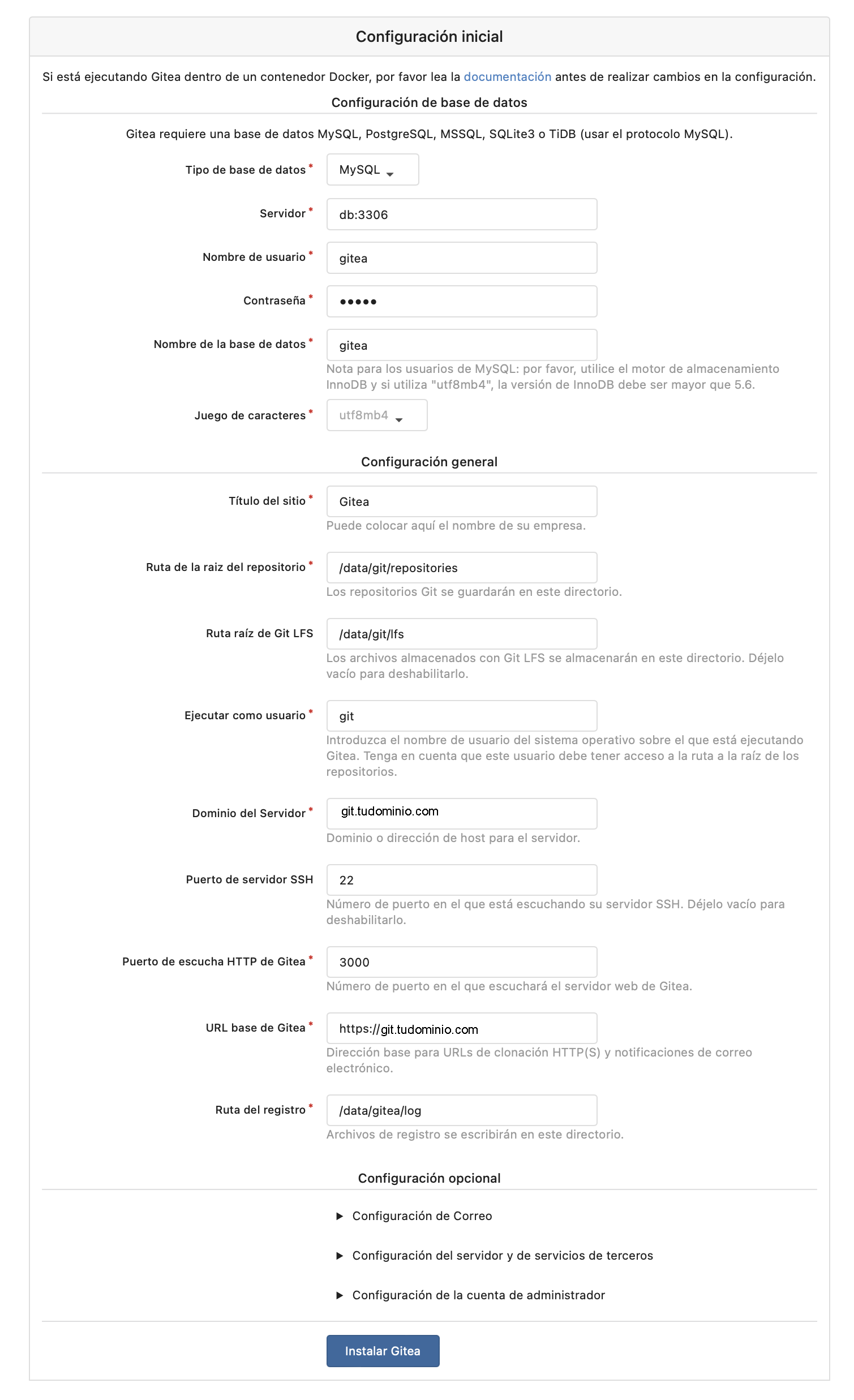
I navigate to my ROOT_URL, https://git.yourdomain.com and enter the initial configuration.
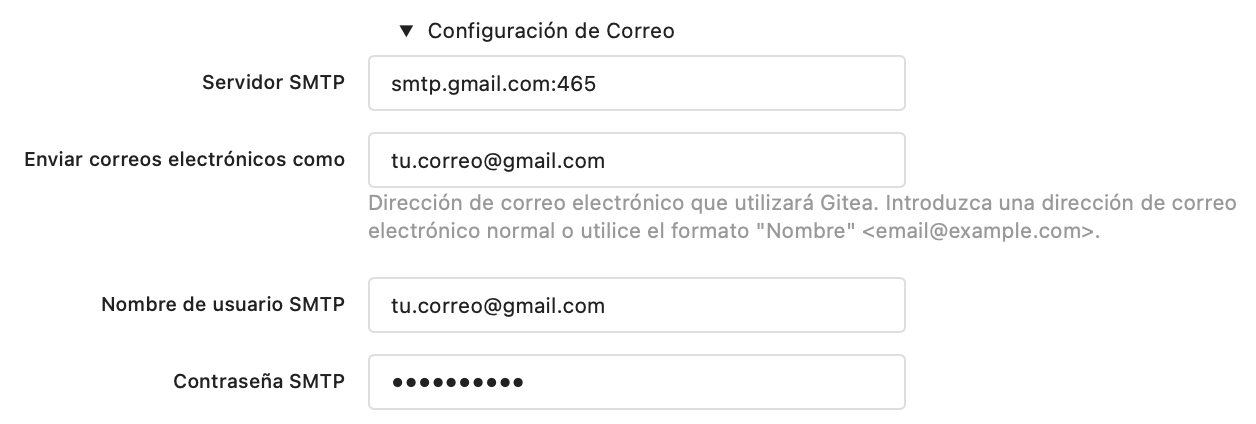
- Email section. I use my Gmail account with an app password.
| If you want to tweak the configuration later, you can do so by editing /home/luis/gitea/data/gitea/gitea/conf/app.ini. Remember to stop the container first. |
git:~/gitea$ docker compose stop gitea
git:~/gitea$ nano data/gitea/gitea/conf/app.ini
:
[mailer]
ENABLED        = true
HOST           = smtp.gmail.com:465
FROM           = youremail@gmail.com
USER           = youremail@gmail.com
PASSWD         = yourapppassword
MAILER_TYPE    = smtp
IS_TLS_ENABLED = true
HELO_HOSTNAME  = git.yourdomain.com
:
git:~/gitea$ docker compose start gitea
- I configure the administrator user
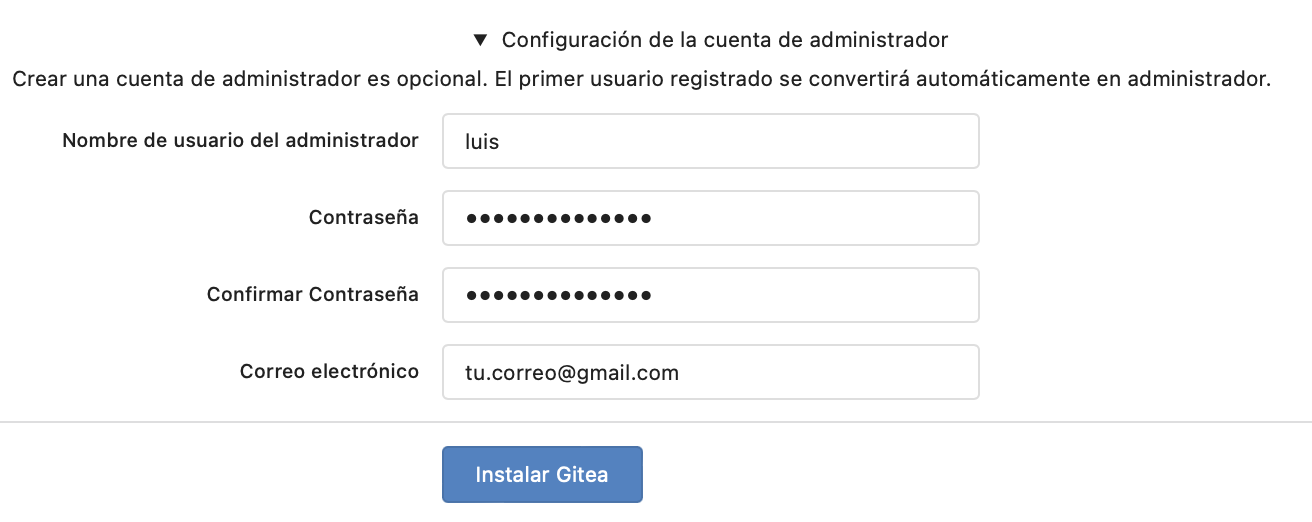
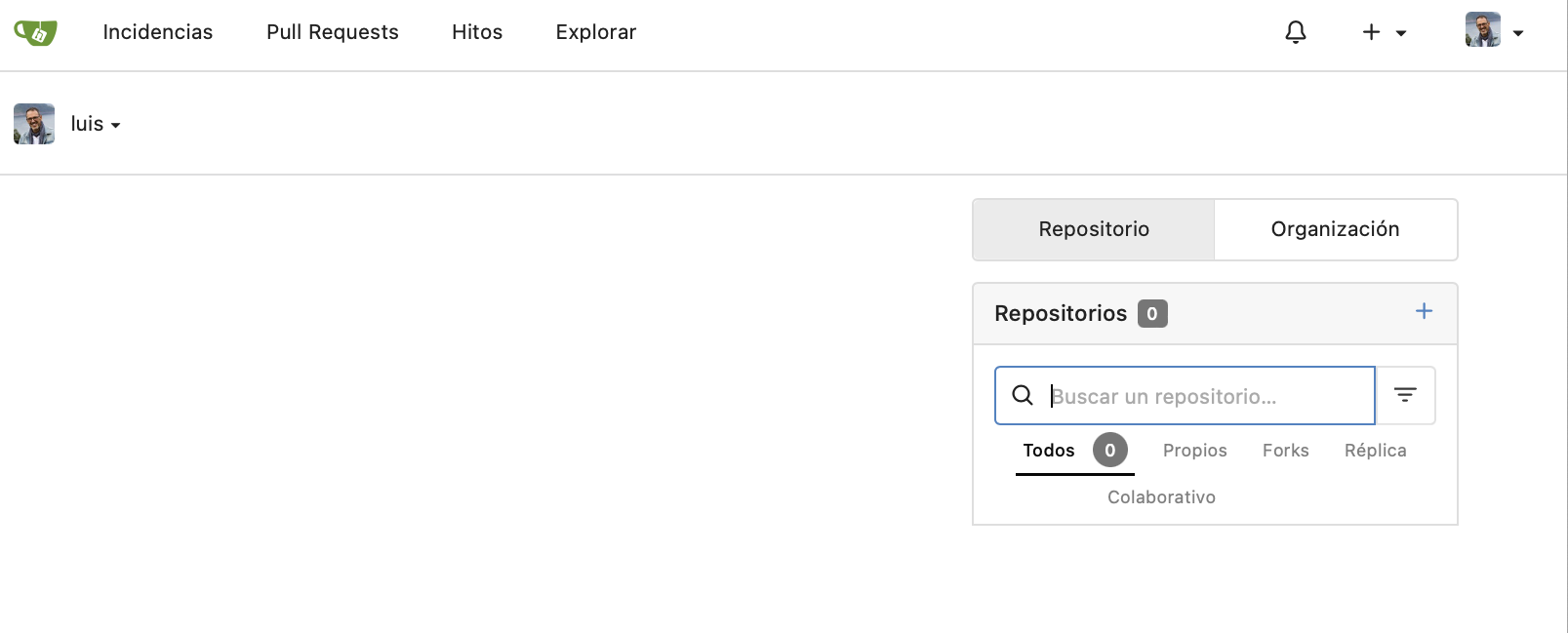
- We click “Install Gitea”. When it finishes, I type the
ROOT_URLagain and you should see the following since you’re already authenticated.
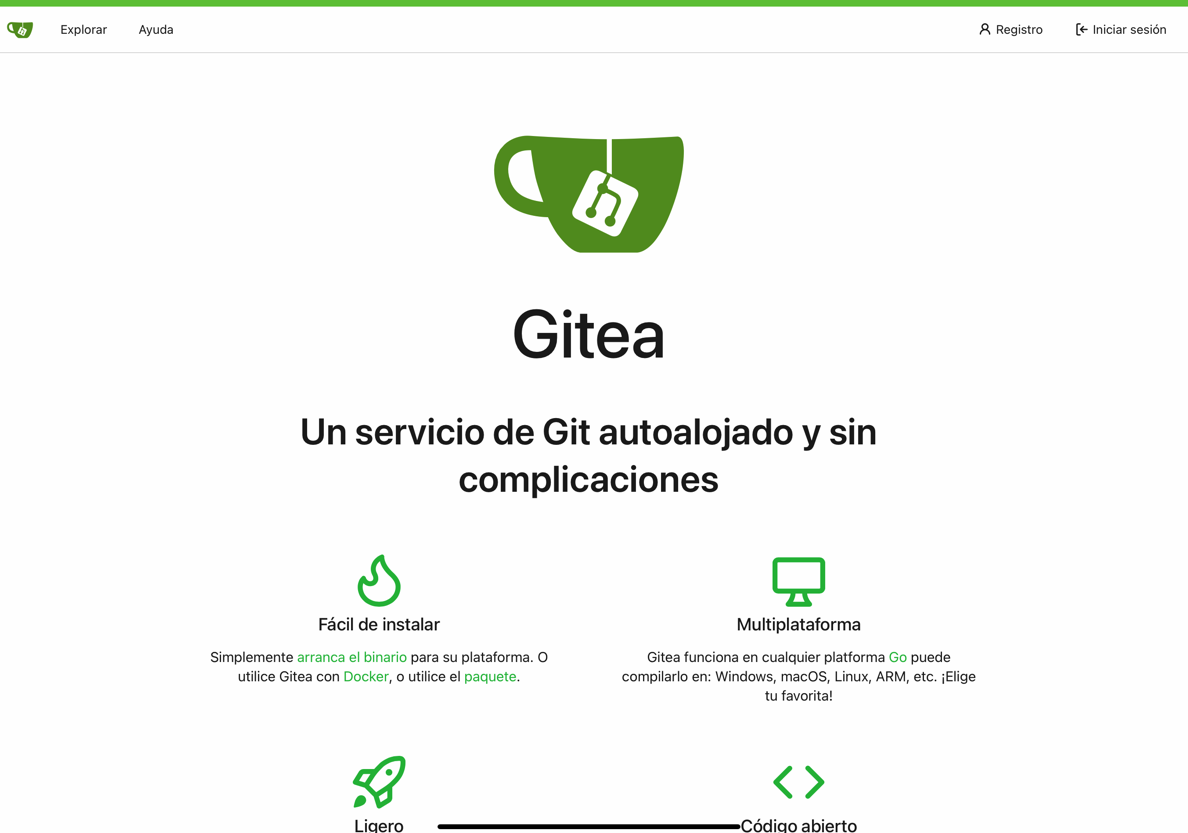
- If I try to connect from the INTERNET with
http://git.yourdomain.com, it redirects me tohttps://git.yourdomain.comand I’ll see the following
SSH Key Configuration
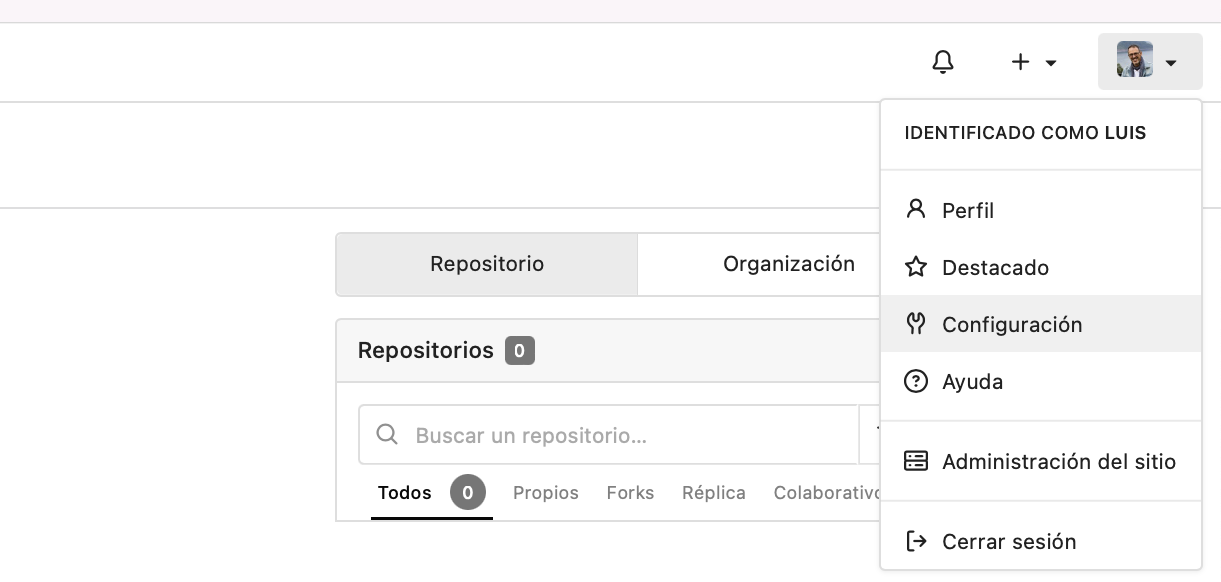
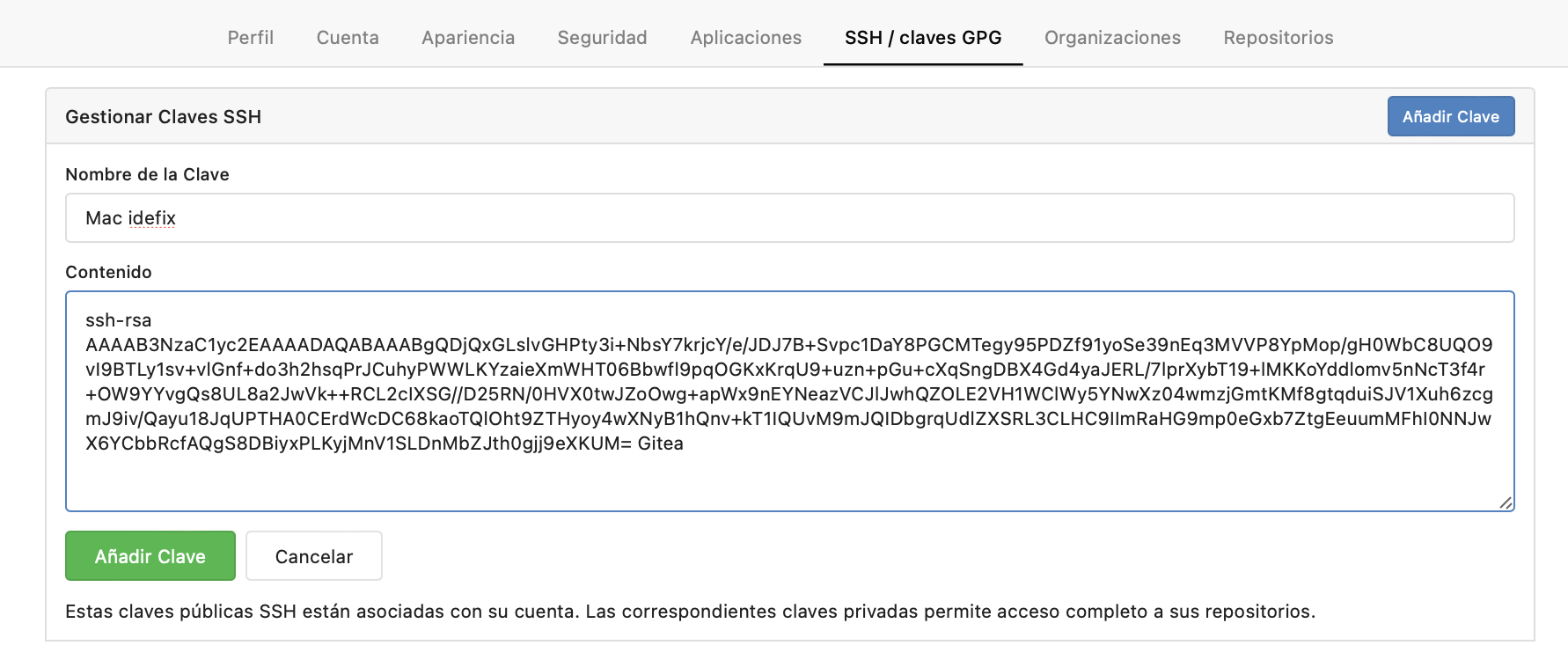
I create an SSH key to authorize my git client to push/pull/commit to/from Gitea. Here’s an example without a passphrase. I copy the public key to add it to Gitea.
$ ssh-keygen -f ~/.ssh/id_gitea -t rsa -C "Gitea" -q -N ""
$ cat .ssh/id_gitea.pub
ssh-rsa AAAAB3NzaC1yc2EAAAADAQABAAABgQDjQxGLslvGHPty3i+NbsY7krjcY/e/JDJ7B+Svpc1DaY8PGCMTegy95PDZf91yoSe39nEq3MVVP8YpMop/gH0WbC8UQO9vI9BTLy1sv+vlGnf+do3h2hsqPrJCuhyPWWLKYzaieXmWHT06Bbwfl9pqOGKxKrqU9+uzn+pGu+cXqSngDBX4Gd4yaJERL/7lprXybT19+lMKKoYddlomv5nNcT3f4r+OW9YYvgQs8UL8a2JwVk++RCL2cIXSG//D25RN/0HVX0twJZoOwg+apWx9nEYNeazVCJlJwhQZOLE2VH1WClWy5YNwXz04wmzjGmtKMf8gtqduiSJV1Xuh6zcgmJ9iv/Qayu18JqUPTHA0CErdWcDC68kaoTQlOht9ZTHyoy4wXNyB1hQnv+kT1IQUvM9mJQIDbgrqUdlZXSRL3CLHC9IImRaHG9mp0eGxb7ZtgEeuumMFhI0NNJwX6YCbbRcfAQgS8DBiyxPLKyjMnV1SLDnMbZJth0gjj9eXKUM= Gitea
Creating a Public Repository
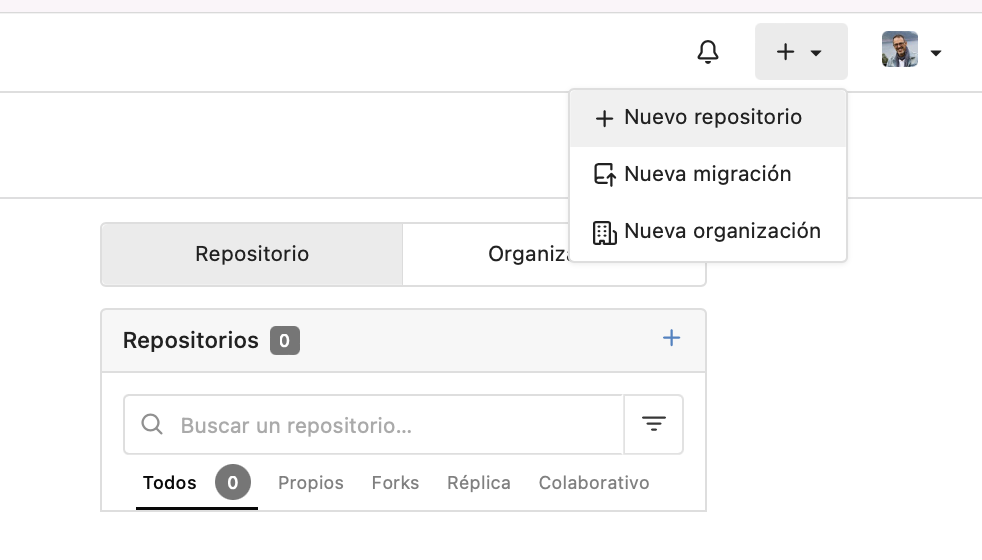
I go back to the web page and create the hola-mundo repository.
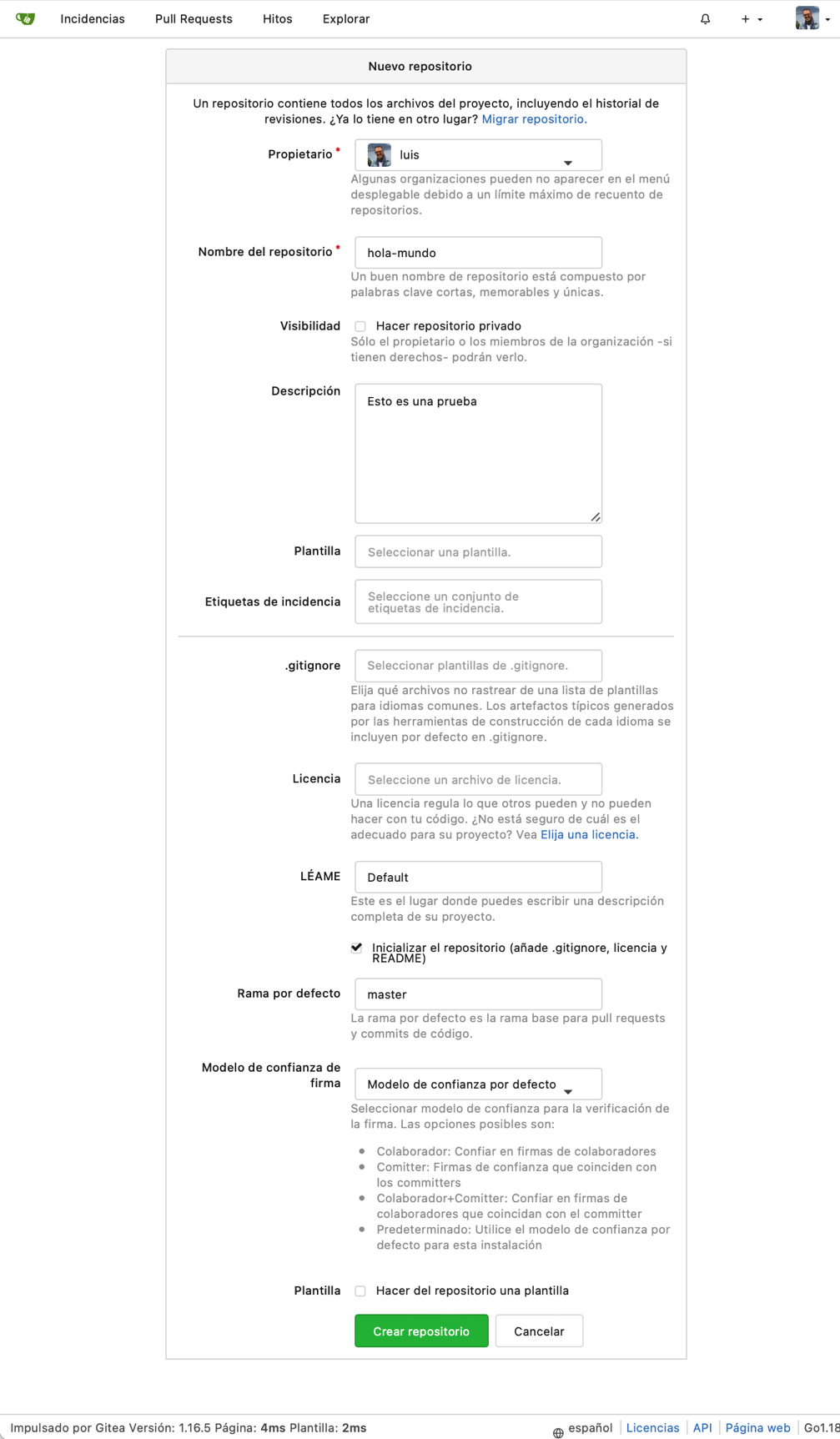
Before being able to work with it, I configure my client ($HOME/.ssh/config) and add the following:
# Gitea
Host git.yourdomain.com
  IdentityFile ~/.ssh/id_gitea
  User git
  Port 22
From now on I can clone, push, pull, etc…
$ git clone git@git.yourdomain.com:luis/hola-mundo.git
Cloning into 'hola-mundo'...
X11 forwarding request failed
remote: Enumerating objects: 3, done.
remote: Counting objects: 100% (3/3), done.
remote: Total 3 (delta 0), reused 0 (delta 0), pack-reused 0
Receiving objects: 100% (3/3), done.
Swagger API
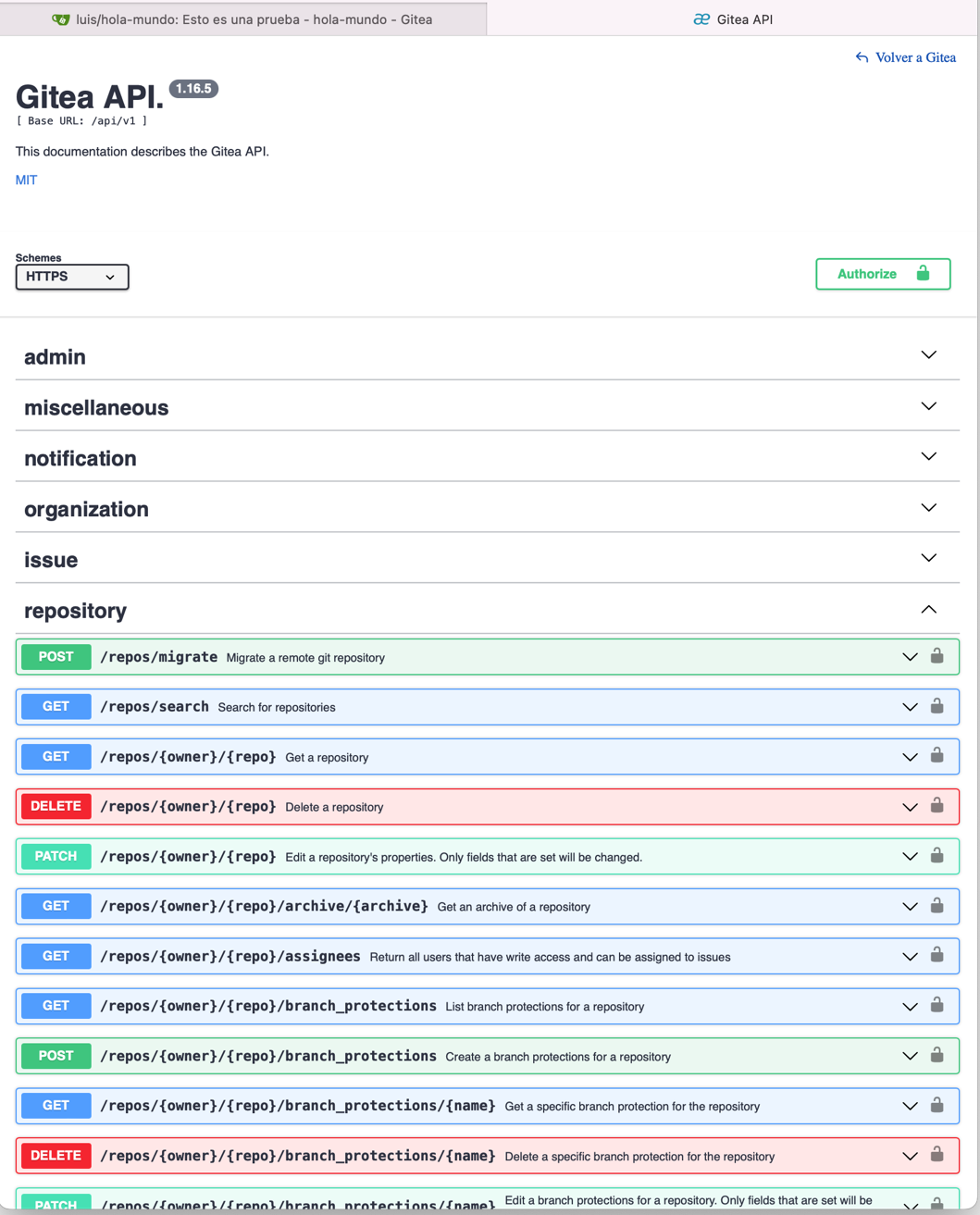
Gitea comes with Swagger by default and the endpoint is /api/swagger
Updates
We need to decide on our strategy and how to perform updates. The strategy is up to you — everyone has their own preferences on this topic. In my case, I update gitea from time to time, while updating the rest of the services when it’s worthwhile or necessary.
It’s always important to do a full backup. I usually stop the VM, back up the disk image, then start it and do the update.
| Always keep data in an external volume outside the Docker containers! |
In my case they’re organized as follows, all data in external directories:
/home
└── luis
    └── gitea
        ├── data_gitea
        ├── data_mysql
        └── data_traefik
Updating Gitea
- I check available versions at Docker Hub -> Gitea (tags)
- I edit the
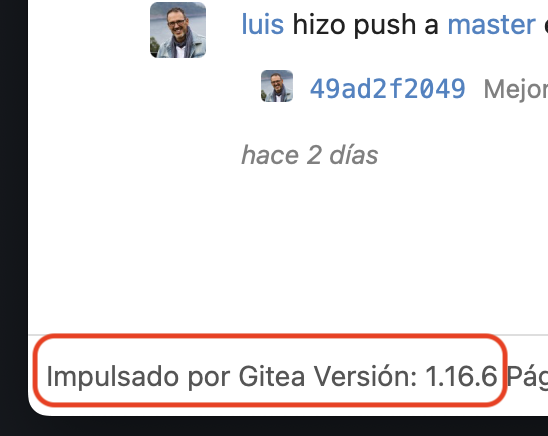
docker compose.ymlfile and change the version number, from1.16.5to1.16.6
  :
  #  Gitea
  gitea:
    container_name: gitea
    image: gitea/gitea:1.16.6
  :
- Running a pull downloads the new version
git:~/gitea$ docker compose pull gitea
- I stop the services, remove the containers, and start them again.
git:~/gitea$ docker compose down
git:~/gitea$ docker compose up -d

# To view the log
git:~/gitea$ docker compose logs -f
- When connecting with the browser, you should see that the update was successful.
Updating the Rest: Traefik, Redis, MySQL
- The process is the same for the other services. Look up the latest versions:
- The process is the same as for Gitea: edit
compose.yml, change the version inimage: ..., thenpull,down,up -deverything again.
Service Startup
Startup during boot: I don’t need to create a script to start the services during boot.
In the compose.yml file I have the restart: unless-stopped directive on all services. Once I run docker compose up -d, the daemon will restart them after boot.
Service order: Despite configuring the compose.yml file to run services in order, I’ve noticed that after boot Traefik sometimes misbehaves, so I resolved this by scheduling a restart.
- I create a restart script
/home/luis/gitea/restart-traefik.sh
#!/bin/ash
#
cd /home/luis/gitea
while true; do
    sleep 30
    wget -q --no-verbose --tries=1 --spider https://git.yourdomain.com/explore/repos 2> /dev/null
    if [ "${?}" -ne "0" ]; then
        docker compose restart gitea-traefik
    fi
done
- I create the executable
/etc/local.d/0-restart-traefik.sh
#!/bin/ash
#
sleep 10
sudo -H -u luis ash -c /home/luis/gitea/restart-traefik.sh
- I enable the local service
rc-update add local
Installing qemu-guest-agent
To properly control the shutdown and startup of this VM from KVM/QEMU or Proxmox VE, I need to install the qemu-guest-agent package.
git:~# apk add qemu-guest-agent
git:~# rc-update add qemu-guest-agent default
 * service qemu-guest-agent added to runlevel default