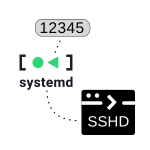
Systemd is a system used in Linux to manage boot and system processes. Its “units” are configuration files that describe the processes and services that systemd manages.
One of these units is systemd.socket, which starts the corresponding daemon when a connection is established through a socket with the machine. A socket is a form of communication between processes over a network or within the system. By creating a unit of this type, we ask it to listen on a specific socket and start a specific service when a connection is received.
Introduction
For example, if we create apache.socket, we ask systemd to start the Apache server as soon as the first connection request is received on port 80 (standard for web requests). Apache will only run when needed, which can save system resources. We could do the same by creating ssh.socket, asking systemd to start the OpenSSH service only when it receives a connection request on port 22.
SSHD on a Non-Standard Port
Debian and Ubuntu have changed the way OpenSSH is configured and now use systemd socket activation. If we want to change the standard port, it’s no longer done in the /etc/ssh/sshd_config file. In fact, I also don’t recommend modifying the unit /etc/systemd/system/sockets.target.wants/ssh.socket (it wouldn’t survive an apt update). The correct approach is to create the following file:
/etc/systemd/system/ssh.socket.d/ssh-override.conf
mkdir -p /etc/systemd/system/ssh.socket.d/
cat > /etc/systemd/system/ssh.socket.d/ssh-override.conf << EOF
[Socket]
ListenStream=
ListenStream=12345
EOF

systemctl daemon-reload
systemctl restart ssh.socket
The line ListenStream= stops listening on port 22 and the second ListenStream=12345 is the port it will listen on from now on.
If you want it to listen on two ports, you would configure it like this:
[Socket]
ListenStream=
ListenStream=22
ListenStream=12345
Verifying the Change
If you reboot the machine (without any SSH connections) and can connect to its console (directly or via Serial, for example with virsh) you can verify it more easily:
root@debian:~# systemctl status ssh.socket
* ssh.socket - OpenBSD Secure Shell server socket
     Loaded: loaded (/lib/systemd/system/ssh.socket; enabled; vendor preset: enabled)
    Drop-In: /etc/systemd/system/ssh.socket.d
             `-ssh-override.conf
     Active: active (listening) since Wed 2023-04-19 19:17:21 CEST; 16s ago
     Listen: [::]:12345 (Stream)
   Accepted: 0; Connected: 0;
     CGroup: /system.slice/ssh.socket

Apr 19 19:17:21 npm systemd[1]: Listening on OpenBSD Secure Shell server socket.

root@debian:~# netstat -tpuln| grep  '22\|12345'
tcp6       0      0 :::12345                 :::*                    LISTEN      1/init

root@debian:~# ps -ef | grep -i "[s]shd"
root@debian:~#