
Proxmox VE is a powerful and easy-to-use open-source virtualization platform that enables the deployment and management of virtual machines (VMs with KVM/QEMU) and containers (CTs based on LXC).
If you have little experience it might be a bit daunting, which is why I recommend this wonderful project: Proxmox VE Helper-Scripts, where you’ll find hundreds of scripts to make your life easier installing CTs or VMs on top of your Proxmox.
Introduction
This project is truly spectacular. This is where you should go when you want to install something:
- Proxmox VE Helper-Scripts. Search for what you want and follow the instructions.
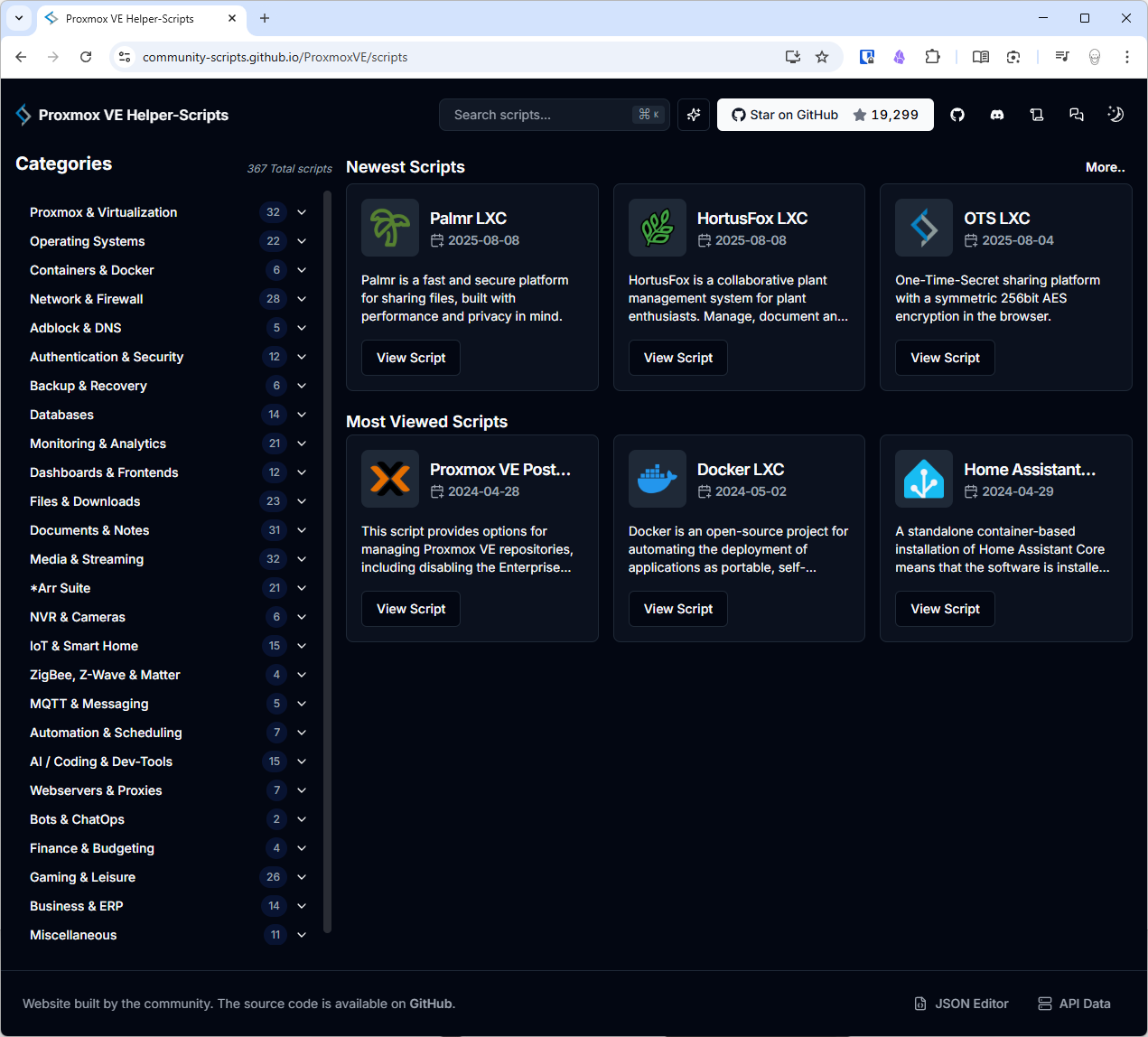
The FOSS project is at ProxmoxVE. It includes scripts organized by categories for containers and virtual machines. Each script automates the deployment of a specific service or application within an LXC or a VM.
Example: Minimalist LXC container based on Alpine Linux:
# From the Proxmox Shell
bash -c "$(wget -qLO - https://github.com/community-scripts/ProxmoxVE/raw/main/ct/alpine.sh)"
During execution, the script will ask for parameters such as the container ID, hostname, user and password, as well as resource allocation (CPU, RAM, storage)
When finished, you’ll have the container (CT) ready and configured.
Example: Docker VM (based on Debian 12):
# From the Proxmox Shell
bash -c "$(curl -fsSL https://raw.githubusercontent.com/community-scripts/ProxmoxVE/main/vm/docker-vm.sh)"
Sets up a Docker server VM in a couple of minutes, an example: Container ID: 100, machine Q35, disk 32GB, disk Cache None (default), hostname: docker, CPU Model Host, Cores 4, memory: 8192, bridge: vmbr1.
Once it boots, I log in as root in the Proxmox GUI (password docker if it asks). From there I set up SSH, create a user and done…
apt install openssh-server locales
adduser luis
usermod -aG sudo luis
usermod -aG docker luis
passwd luis
echo "luis ALL=(ALL) NOPASSWD:ALL" > /etc/sudoers.d/10luis
dpkg-reconfigure locales
timedatectl set-timezone Europe/Madrid
timedatectl set-ntp on
Best practices
- Base templates: Use official Proxmox templates (Alpine, Debian, Ubuntu) as a base before customizing.
- Prior backups: Before running a script in production, take a snapshot or backup of the node.
- Code review: Always review the script contents to understand what it installs and configures.