Terminal in AI Mode

Terminal in AI Mode

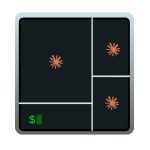
When you work with an AI harness (Claude Code, Gemini CLI, Codex, …) you end up spinning up several instances over and over. I wanted a keyboard shortcut that opened my most typical setup with multiple panes in a single window. I called it the terminal “AI mode”: four panes, three running claude (each with a different model: opus, sonnet, haiku) and a fourth with a clean shell for auxiliary commands. The non-negotiable requirement is that all four panes start in the directory I pressed the shortcut from, with zero manual steps. This post covers two paths to set it up: WezTerm (recommended, cross-platform — Windows / macOS / Linux) and iTerm2 (fallback for those who already live in iTerm on macOS and don’t want to switch terminals). …

April 25, 2026 · 21 min
Cross-platform CLI Tools

Cross-platform CLI Tools

In this post I share a selection of cross-platform command-line tools that you can use interchangeably on PowerShell, CMD, WSL2, macOS and Linux. These are modern, fast and lightweight utilities that replace or greatly improve classic tools like ls, cd, find or even command history. They not only speed up everyday tasks, but also offer a more consistent user experience across systems. They don’t depend on specific shells like Bash or Zsh, and work the same whether you use PowerShell, Terminal, Alacritty, VSCode or any modern environment. As I discover new CLI utilities that fit this cross-platform, no-heavy-dependencies approach, I’ll keep adding them. …

July 19, 2025 · 3 min
Windows for development

Windows for development

I set up Windows 11 as a cross-platform development machine (Linux, macOS, and Windows), not Microsoft-only. Starting from a clean English install, tuned lightly (optionally after a dualboot). The post starts with the CLI and WSL2 and ends with the tools and programming languages. …

August 25, 2024 · 36 min