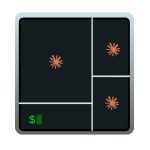
iTerm in AI Mode

iTerm in AI Mode

When you work with an AI harness (Claude Code, Gemini CLI, Codex, …) you end up launching multiple instances over and over. I wanted a keyboard shortcut that would open my typical configuration using panels within a single window. I call it the terminal in “AI Mode”. I launch four panels: three with claude (each running a different model) and a fourth with a clean shell for auxiliary commands. The non-negotiable requirement is that all four panels start in the directory where I used the shortcut and that there are no manual steps. …

April 25, 2026 · 17 min
Windows for development

Windows for development

I set up Windows 11 as a cross-platform development machine (Linux, macOS, and Windows), not Microsoft-only. Starting from a clean English install, tuned lightly (optionally after a dualboot). The post starts with the CLI and WSL2 and ends with the tools and programming languages. …

August 25, 2024 · 36 min
Linux for Development

Linux for Development

In this post I describe my configuration log for setting up a Linux (Ubuntu) machine as a development workstation. I install several graphical and command-line applications that are essential for my workflow. Starting from a fresh Ubuntu installation, the installation order can be varied, but I recommend (if your Ubuntu is freshly installed) that you follow the same order to see the same results. …

July 25, 2024 · 7 min
MAC for Development

MAC for Development

In this post I describe my configuration log for setting up a Mac (INTEL or ARM) as a development machine. I install several graphical and command-line applications that are important for using a Mac as a development workstation. The installation order can be varied, but this is what I recommend starting from a fresh macOS installation. …

April 15, 2023 · 17 min
Jupyter Lab with Chrome on Mac

Jupyter Lab with Chrome on Mac

I describe how to change the default browser for Jupyter Lab on a Mac. If we don’t do anything and launch jupyter lab from the command line, the system’s default browser (Safari) will be invoked. If you want to change it to Chrome, follow the steps below. …

October 19, 2021 · 1 min
Vagrant with Libvirt KVM

Vagrant with Libvirt KVM

Vagrant creates and runs virtual machines, relying on virtualization providers such as Virtualbox, KVM, Docker, VMWare, and 30+ others. It will always default to launching the VM with Virtualbox unless we explicitly specify a different provider. In this guide I explain how I set up Vagrant with the Libvirt KVM provider on Linux. …

May 15, 2021 · 5 min