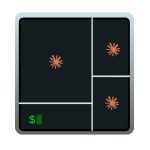
Terminal in AI Mode
When you work with an AI harness (Claude Code, Gemini CLI, Codex, …) you end up spinning up several instances over and over. I wanted a keyboard shortcut that opened my most typical setup with multiple panes in a single window. I called it the terminal “AI mode”: four panes, three running claude (each with a different model: opus, sonnet, haiku) and a fourth with a clean shell for auxiliary commands. The non-negotiable requirement is that all four panes start in the directory I pressed the shortcut from, with zero manual steps. This post covers two paths to set it up: WezTerm (recommended, cross-platform — Windows / macOS / Linux) and iTerm2 (fallback for those who already live in iTerm on macOS and don’t want to switch terminals). …